Not Refundable Plugin
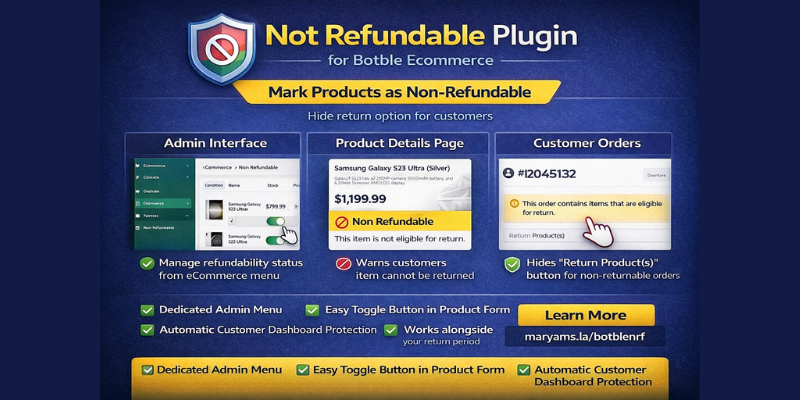
Mark products as non-refundable and automatically hide the return option for customers.
Features
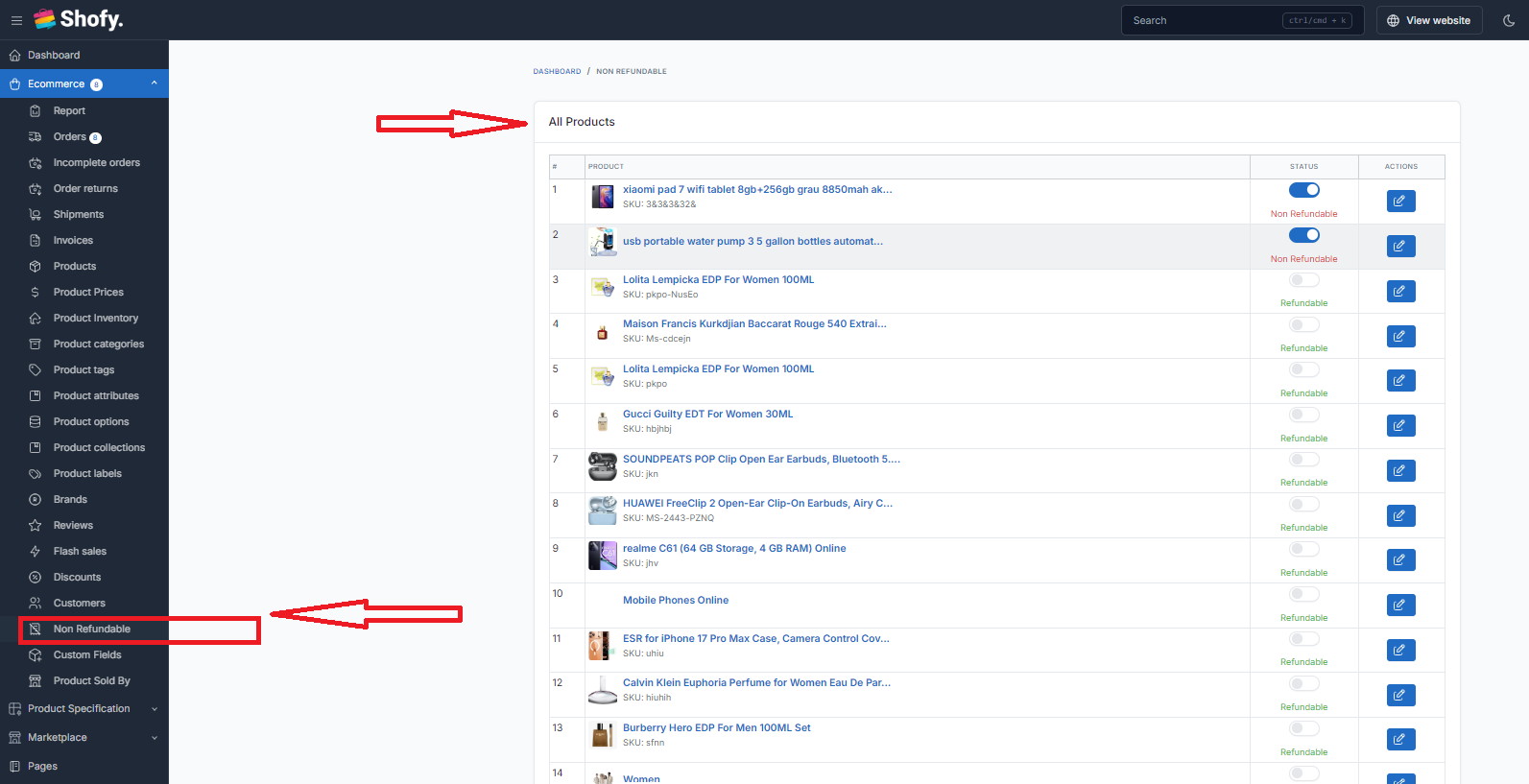
- Admin Menu: Dedicated "Non Refundable" menu under eCommerce to view all products with toggle buttons
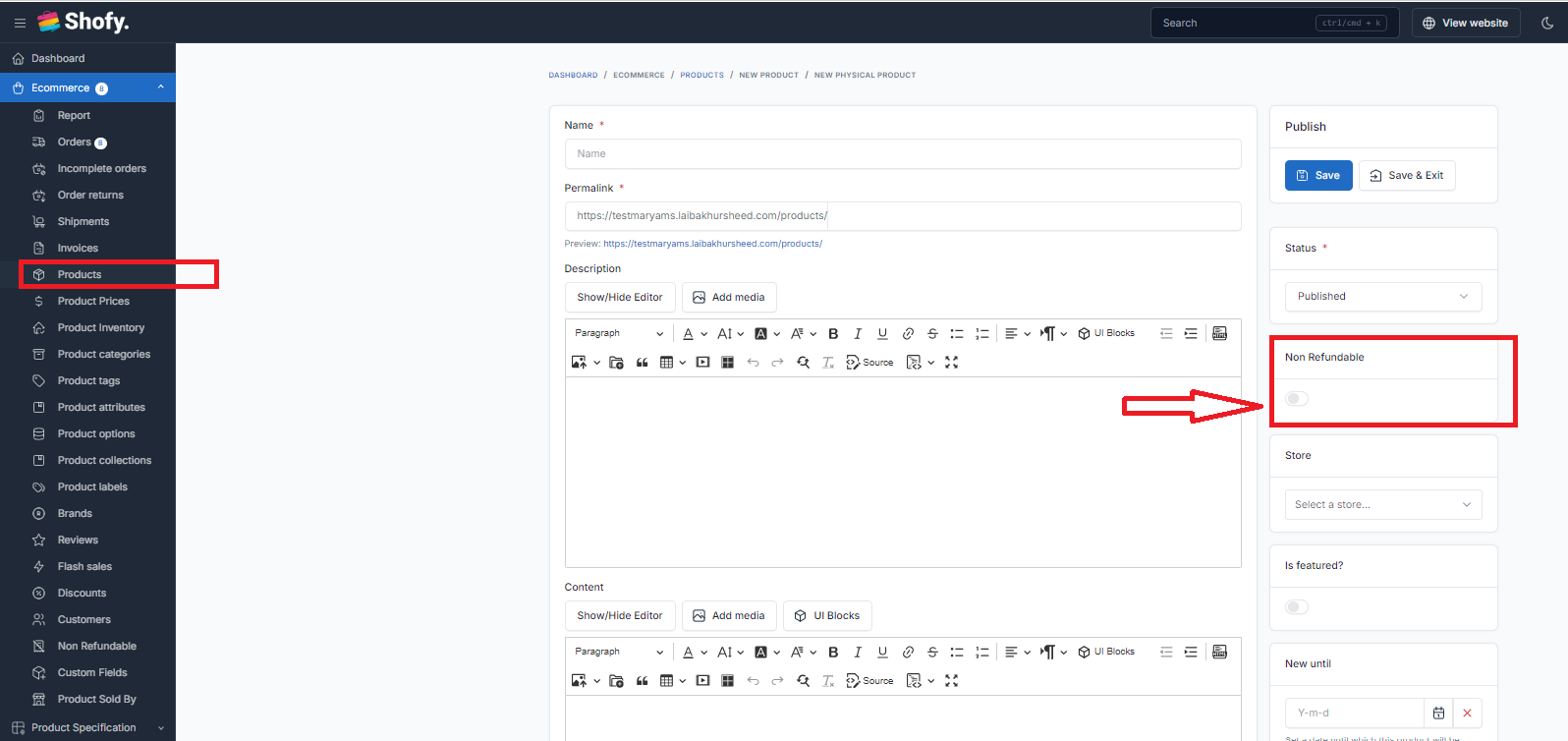
- Product Form Integration: Toggle button in product create/edit form to mark products as non-refundable
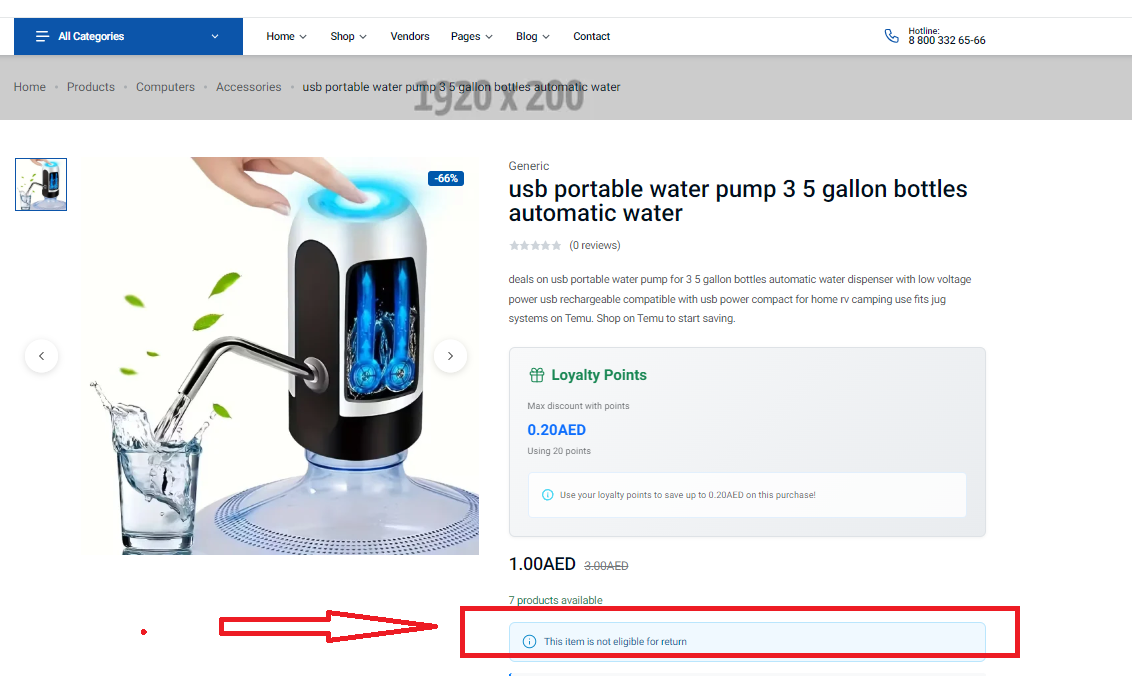
- Frontend Product Page: Shows "This item is not eligible for return" notice on product details page
- Order Return Protection: Automatically hides the "Return Product(s)" button in customer dashboard when order contains non-refundable items
- Dynamic Behavior: Works alongside the admin's return period settings (e.g., 2-3 days) - if product is refundable, return button shows within the return period; if non-refundable, button is always hidden
- Bulk Management: Easily manage refundability status for all products from one place
Installation
- Upload the not-refundable folder to platform/plugins/
- Go to Admin → Plugins and activate "Not Refundable"
- Navigate to eCommerce → Non Refundable to manage products
UsageFrom Admin Menu
- Go to eCommerce → Non Refundable
- View all products with their refundability status
- Toggle the switch ON to mark products as non-refundable
- Toggle the switch OFF to allow returns for the product
From Product Form
- Go to Products → Edit any product
- Find the "Non Refundable" toggle in the product form
- Enable/disable as needed and save
How It WorksProduct Details Page
When a product is marked as non-refundable, customers will see a notice:
🚫 Non Refundable - This item is not eligible for return
This notice appears on the product details page near the product information.
Customer Order Dashboard
When a customer views their order details:
- If product is refundable: "Return Product(s)" button appears (within admin-set return period)
- If product is non-refundable: "Return Product(s)" button is hidden, and a notice is shown explaining the order contains non-returnable items
Return Period Integration
The plugin works alongside your existing return period settings:
- Admin sets return period (e.g., 3 days) in eCommerce settings
- For refundable products: Return button appears only within the return period
- For non-refundable products: Return button never appears, regardless of return period
ScreenshotsAdmin - Non Refundable Products List
View all products with toggle switches to quickly mark items as non-refundable.
Product Form
Toggle button appears in the product edit form for easy management.
Customer Order View
Return button is automatically hidden for orders containing non-refundable items.
Requirements
- Botble CMS 7.3.0 or higher
- eCommerce plugin
Changelog1.0.0
- Initial release
- Admin menu with product list and toggle buttons
- Product form integration
- Frontend product page notice
- Customer dashboard return button hiding
- Order return notice for non-refundable items
Author
- Maryam International LLC
- Email- maryaminternationalllc@gmail.com
- Whatsapp = +971553682656