Stop losing customers! Turn every purchase into a loyalty magnet. Automatically reward buyers with real money directly to their e-wallet. Features per-product rules, fraud-protection cooling periods, and flawless multi-currency support. Zero coding required.
💰 CashbackByCodeupp
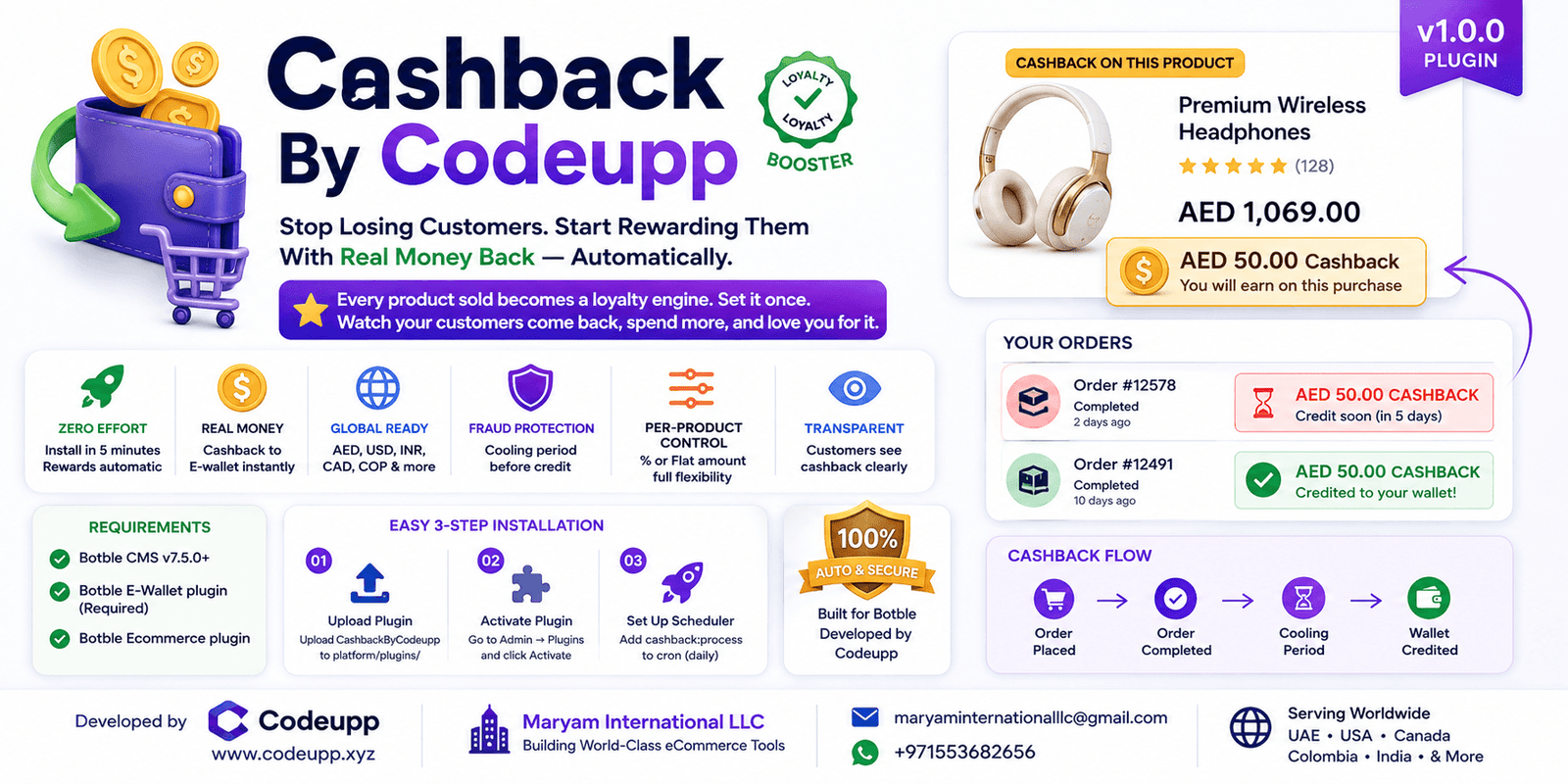
Stop Losing Customers. Start Rewarding Them With Real Money Back — Automatically.
Every product sold becomes a loyalty engine. Set it once. Watch your customers come back, spend more, and love you for it.
🏢 About
CashbackByCodeupp is proudly developed by Maryam International LLC, powered by Codeupp — building world-class eCommerce tools for global merchants.
🏢 Company
Maryam International LLC
🔧 By
Codeupp
maryaminternationalllc@gmail.com
+971553682656
🌍 Serving
UAE · USA · Canada · Colombia · India · Worldwide
🔥 Why Buy This Plugin?
"Your competitors are giving cashback. Are you?"
✅ Zero Effort, Maximum Impact — Install, configure in 5 minutes, and your store automatically rewards customers after every purchase.
✅ Real Money. Real Loyalty. — Unlike loyalty points that expire or confuse customers, cashback goes straight into their e-wallet as real currency they can spend immediately.
✅ Built For Global Stores (Dynamic Multi-Currency) — Whether your customers browse in UAE (AED), USA (USD), or India (RS), the cashback dynamically converts and calculates according to live exchange rates. It works instantly worldwide.
✅ No Theme Code Changes Ever — Works on Martfury, Farmart, Shofy, and every Botble theme out of the box. Zero developer needed. Just install and activate.
✅ Per-Product Control — Give 10% on electronics but only flat $5 on accessories. Full flexibility.
✅ Cooling Period Protection — Protect against fraudulent returns. Set a 7-day (or any) cooling period before cashback is credited.
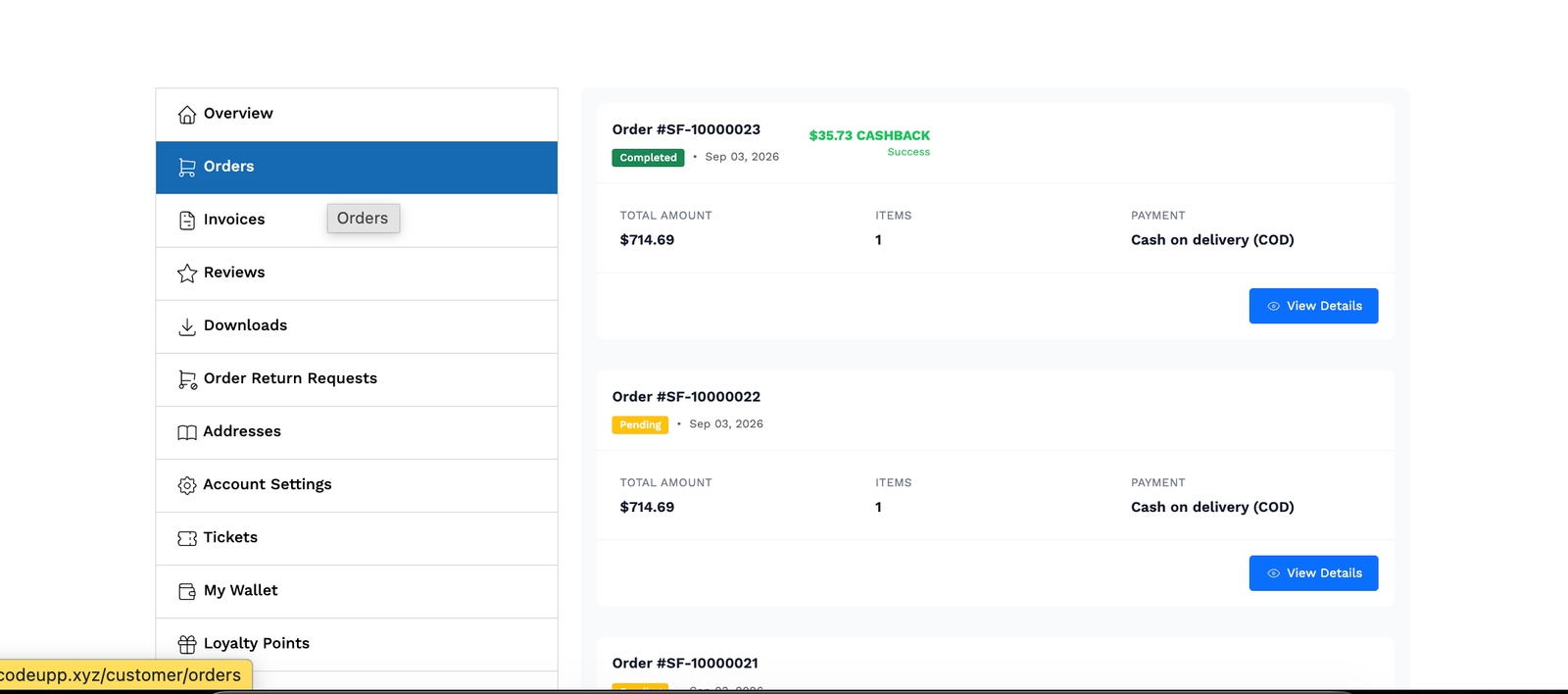
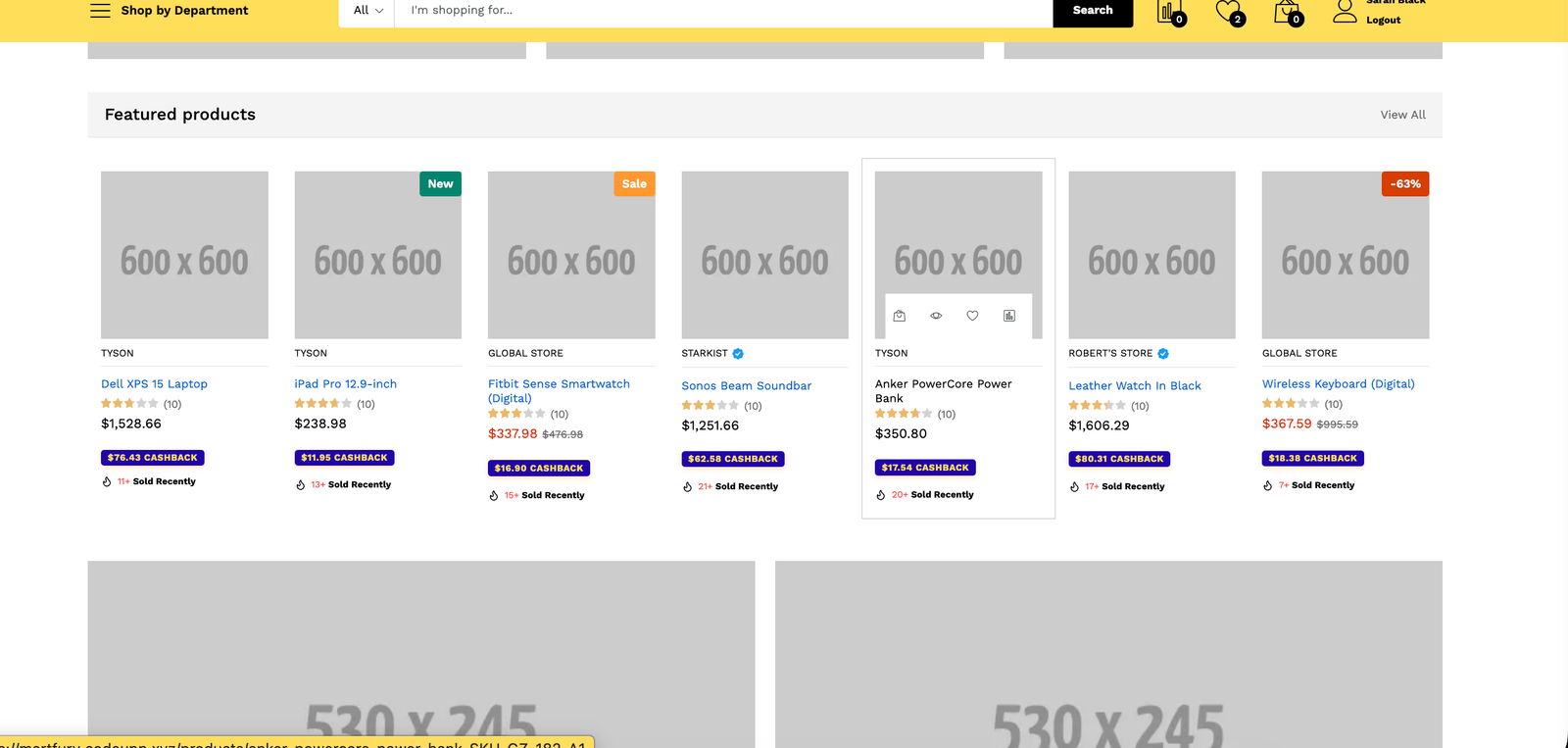
✅ Transparent to Customers — Every customer sees exactly how much cashback they'll earn on every product card. No guessing. No surprises.
🚀 How To Install
Step 1: Upload via File Manager
Log into your website's hosting panel (cPanel, Hostinger, etc.).
Go to File Manager and navigate to: public_html/platform/plugins/ (or your root path).
Upload and extract the plugin folder here.
⚠️ IMPORTANT: Make sure the folder name is exactly CashbackByCodeupp (Case sensitive, no spaces or numbers like CashbackByCodeupp-1).
Step 2: Activate the Plugin
Log into your Botble Admin Panel.
Navigate to Plugins in the sidebar.
Find CashbackByCodeupp in the list and click Activate.
A license activation popup will appear. Enter your details to activate your license securely.
⚙️ How To Use The Admin Panel
Once activated, you will see a new Cashback by Codeupp menu in your admin sidebar with 3 main sections:
1️⃣ Add Product (Per-Product Rules)
Here, you will see a list of all your products. You can:
Toggle cashback ON or OFF for any specific product.
Override the global setting. For example, if your store gives 5% cashback globally, you can set a specific laptop to give a "Flat Amount" instead.
See a live preview of the "Effective Cashback" amount.
2️⃣ Cashback Transactions (History & Tracking)
This is your master ledger. Here you will see a beautiful table of all cashback transactions:
See the customer name, email, order ID, and product image.
See exactly how much they paid, their payment method (e.g. Stripe, COD), and how much cashback they earned.
Status Badges: Easily track if a cashback is Processing (Red Badge) (waiting for cooling period) or Success (Green Badge) (money successfully sent to customer's e-wallet).
3️⃣ Settings (Global Configuration)
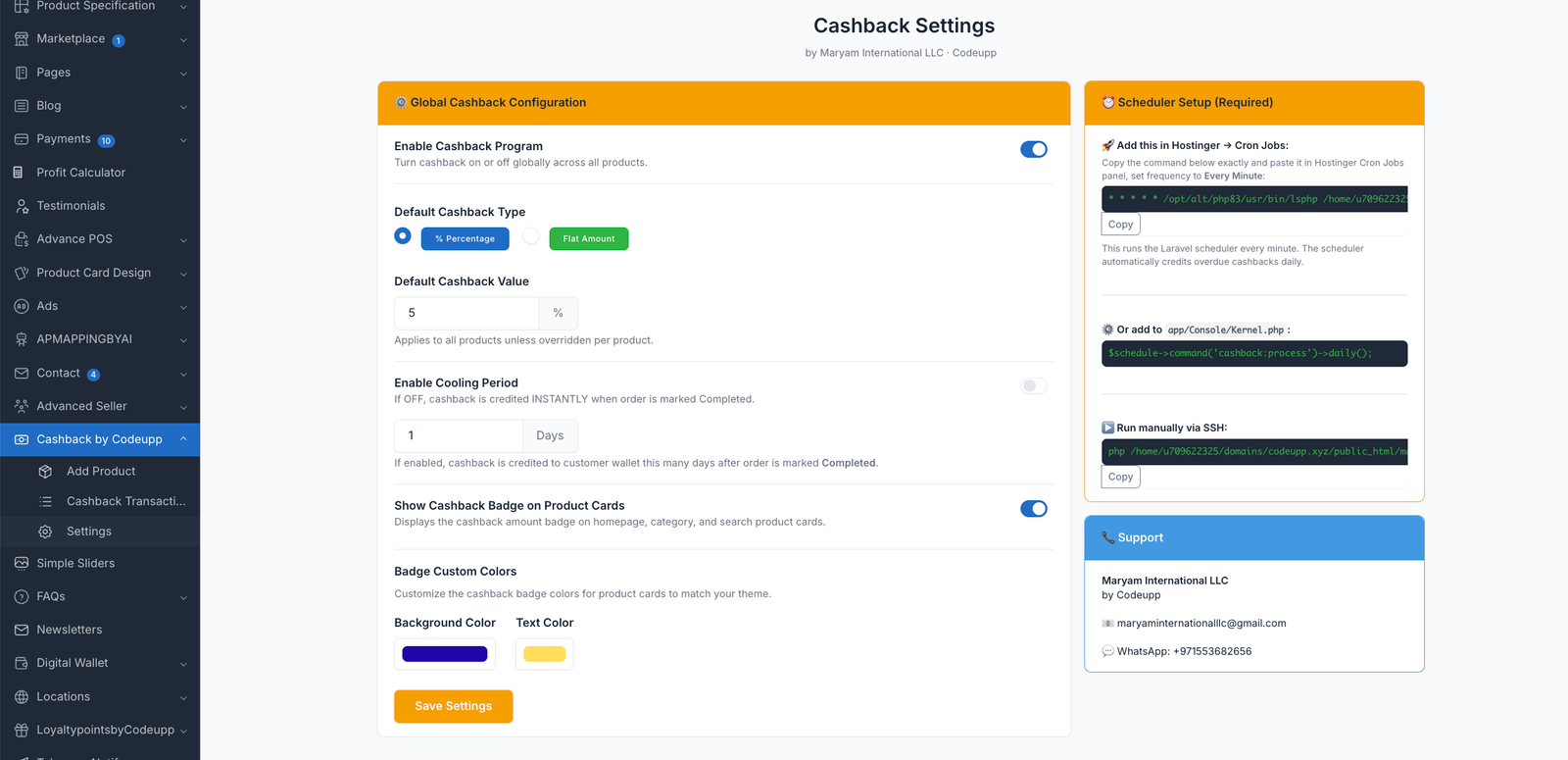
This is where you define how your cashback system behaves:
Enable Cashback: Master switch to turn the whole system on or off.
Default Type: Choose between % Percentage or Flat Amount.
Default Value: Enter the amount (e.g. 5).
Cooling Period: If toggled ON, define how many days (e.g. 7) to wait after order delivery before crediting the money to protect against refunds.
Product Card Badge: Toggle whether to show the cashback badge on homepage/category product cards.
Badge Colors: A color picker to dynamically change the Background Color and Text Color of the product badges so they match your theme perfectly!
⏰ How To Set Up Cron Job (Crucial for Auto-Crediting)
For the "Cooling Period" system to work (automatically sending money to wallets after X days), you must set up a Cron Job on your server to run the Laravel Scheduler every minute.
▶️ Method 1: Hostinger Cron Setup
Log into your Hostinger hPanel.
Scroll down to the Advanced section and click Cron Jobs.
Under Type, choose Custom.
In the Command to run box, paste the following (replace username and domain.com with your real paths):
Under Schedule, choose Once a minute (* * * * *).
Click Save.
▶️ Method 2: cPanel Cron Setup
Log into your cPanel dashboard.
Scroll to the Advanced section and click Cron Jobs.
Under Common Settings, select Once Per Minute (* * * * *).
In the Command field, paste the following (adjust the path to match your actual file manager path):
Click Add New Cron Job.
(If you are unsure of your exact PHP path, you can check the "Settings" tab in the Cashback plugin—it prints the exact command for your server!)
🔄 Cashback Flow (How it works behind the scenes)
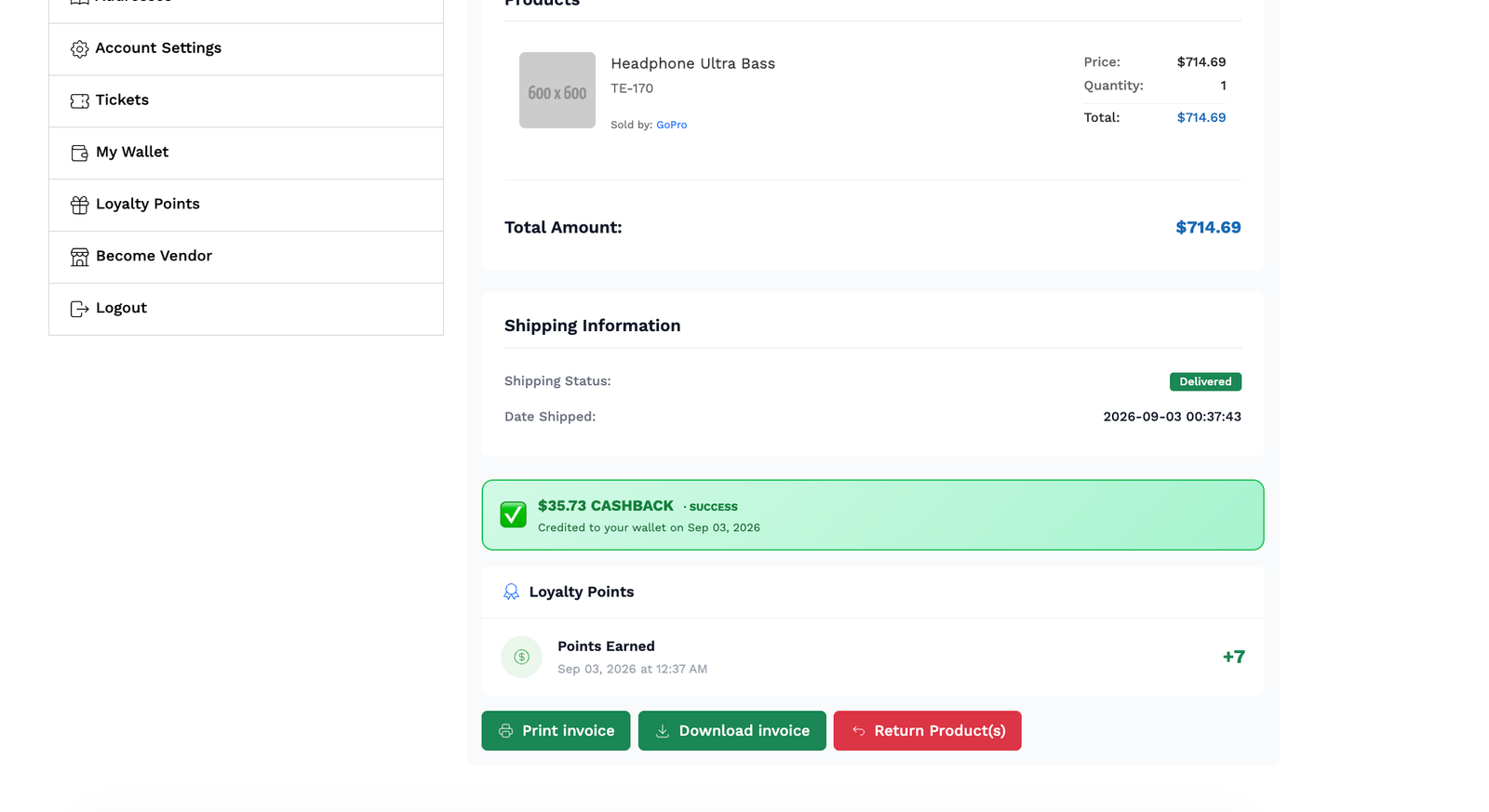
Customer Places Order ↓ Admin Marks Order Status → COMPLETED (Delivered) ↓ Cashback Transaction created (Status: Processing/Cooling) ↓ Cooling Period (e.g. 7 days) passes ↓ Cron Job runs daily in the background ↓ E-Wallet Credited ✅ (Status: Success)
❓ FAQ
Q: Does it work if I change my theme? A: Yes! The plugin uses Botble's core hooks, not theme templates. Works on any Botble theme.
Q: What if a customer cancels or returns an order? A: Cashback is automatically cancelled — wallet is NOT credited.
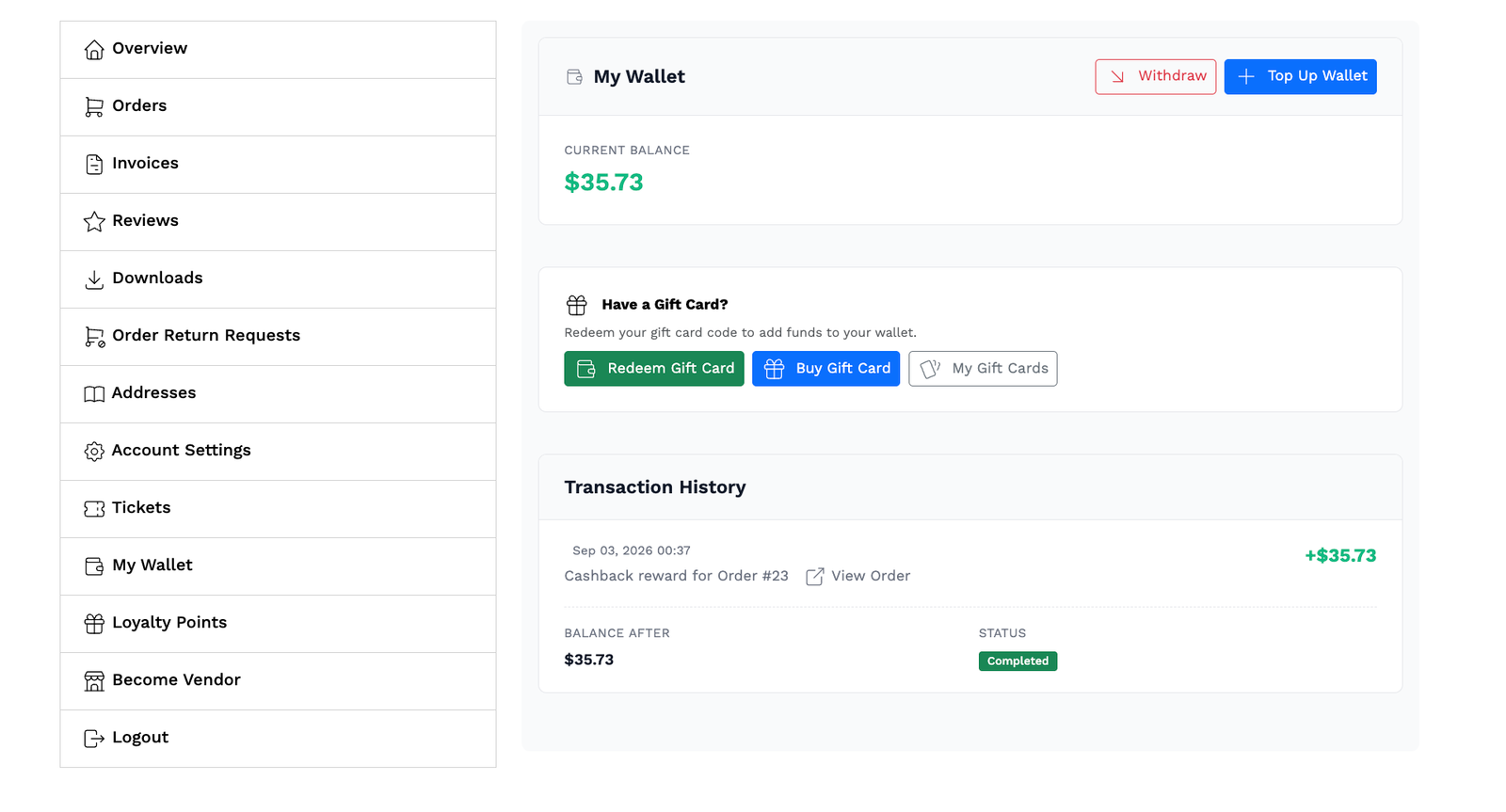
Q: What transaction type shows in the customer's wallet? A: It shows as cashback with description "Cashback reward for Order #XXXX".
Q: Does it work for guest customers? A: No — cashback is credited to e-wallets, which require a registered customer account. Guest checkouts do not earn cashback.
📞 Support
Having trouble? We're here for you.
📧 Email: maryaminternationalllc@gmail.com
💬 WhatsApp: +971553682656
Response within 24 hours, Mon–Sat.
Have doubt? Contact us on WhatsApp
Our product is high quality. Contact us for any kind of custom work.