💚 Tabby Payment Gateway by CodeUppGive shoppers payment choices before they reach checkout.
Bring Tabby into your Botble eCommerce store with a payment gateway and an official product-page Learn more widget. Customers can explore Tabby's payment details, then select Tabby at checkout. Configure the integration from Botble's payment settings using your merchant credentials. Tabby supplies the widget messaging and popup; the plugin connects your store to the provider without hardcoding installment amounts.
Version 1.3.0 · Botble core 7.3.0+ · Requires Botble Payment and eCommerce
Available plans, fees and approval depend on Tabby, your merchant account and the transaction.
🏢 About CodeUpp
Details
Developer
Maryam International LLC
Website
maryaminternationalllc@gmail.com
Plugin ID
codeupp/tabby
PHP namespace
CodeUpp\Tabby
✨ Why add Tabby to your store?
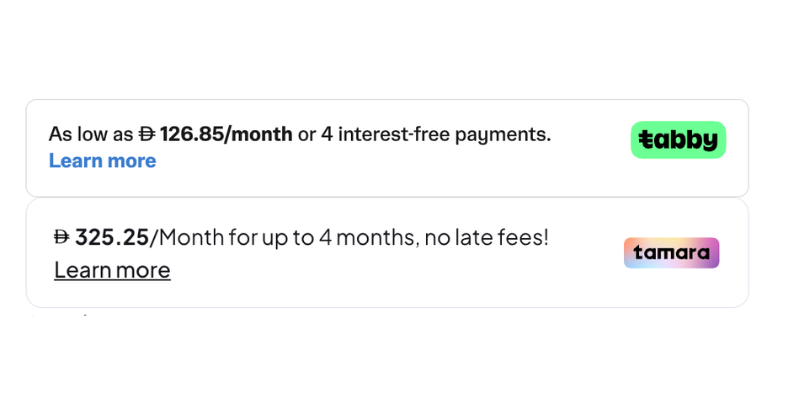
Explain options early: customers can open Tabby's own payment-details popup from the product page.
Keep messaging with the provider: Tabby generates the offer instead of the plugin dividing every price by four.
Manage from Botble: save credentials in your existing payment settings.
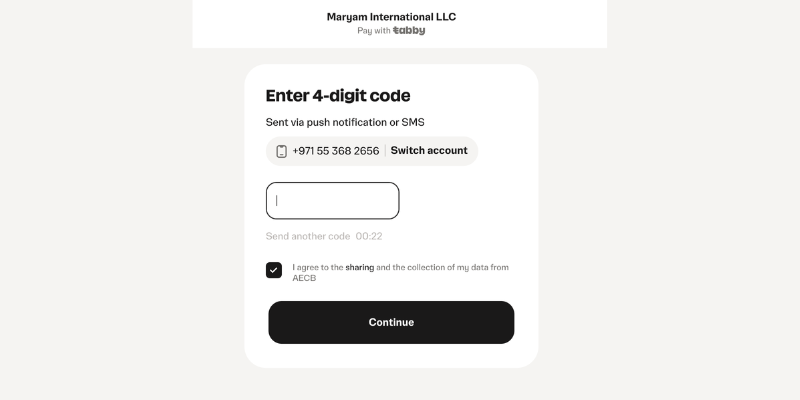
Keep the shopping flow familiar: select Tabby at checkout and continue to its hosted payment experience.
Support your payment operations: the existing gateway includes capture, callback/webhook handling, refunds and checkout error handling.
The product widget supports AED and SAR, English and Arabic, and updates after the standard Botble variation-success callback. It uses your saved public key and merchant code; secret keys stay on the server.
🚀 How to install
Back up your website and database.
Open your hosting File Manager, go to platform/plugins/ and upload the tabby folder there.
Open Admin → Plugins and activate Tabby Payment Gateway by CodeUpp.
Open Admin → Payments → Settings → Tabby and enter your store's credentials.
If assets are not published automatically, run these commands from the website root:
Enable Tabby and test a product's Learn more popup and a checkout with test credentials before switching to live credentials.
Updating an existing installation
Deactivate the existing plugin before replacing files, replace them inside the same tabby folder, then reactivate. This refreshes Botble's cached plugin registration after the namespace change to CodeUpp. Do not install another copy or uninstall the plugin during this update.
Run the asset/cache commands above after reactivation. Review custom views under resources/views/vendor/plugins/tabby/: an old product snippet override can keep showing the previous banner.
Existing payment_tabby_* setting keys, the tabby payment channel, routes and asset/view paths remain unchanged. The branding change does not require re-entering credentials.
⚙️ Configure your credentials
Get credentials from your Tabby Merchant Dashboard under Stores → Integration for the selected store, or contact your Tabby account manager.
Field
What to enter
Public Key
The store's public key (pk_test_... or pk_...). Used by the product widget and existing checkout integration.
Secret Key
The matching private key for server-side payment operations. Never enter it into the public-key field.
Merchant Code
The exact code supplied by Tabby for the store and currency. Do not assume it is ae or sa.
This plugin has no separate sandbox toggle. Tabby identifies test/live environments through the credentials; keep the keys and merchant code consistent.
Learn more widget
The product snippet uses Tabby's official TabbyPromo script, with a separate unique container for each snippet. Tabby controls the text, popup and payment details. See Tabby's on-site messaging guide.
The widget renders only when Tabby is enabled, the product price is positive, the storefront currency is AED/SAR, and both the public key and merchant code are saved. Variant prices are converted using the storefront currency rate and sent with two decimal places. Custom themes that replace Botble's variation callback or omit its product-detail hook may need integration work.
Regional endpoints
The product widget loads from checkout.tabby.ai for AED and checkout.tabby.sa for SAR. The existing payment gateway still calls api.tabby.ai; this release does not migrate its payment API routing. Tabby's current documentation requires region-matched API calls. A KSA merchant must have the payment gateway's routing reviewed and updated before relying on SAR checkout; displaying a SAR widget alone does not confirm KSA payment compatibility. See Tabby's API reference.
Callback URLs
Method
Path
Purpose
GET
/payment/tabby/callback
Customer return after hosted checkout
POST
/payment/tabby/webhook
Payment notification handling
Use your own website domain when configuring provider notifications. These paths are unchanged by the CodeUpp rebrand.
🧪 Before going live
Test the widget, variations, successful checkout, cancellation/rejection, payment notifications and refunds using your merchant test credentials. Verify your installed Botble/theme versions and complete Tabby's required launch checks.
The plugin uses Botble's common payment and product-detail hooks. Martfury, Shofy, Nest and Farmart installations using those hooks can integrate it; customizations and core versions still require testing. This update is not a full payment-security audit or certification of every theme.
❓ FAQ
Why is Learn more missing?
Check payment status, public key, merchant code, supported currency and product price. Remove or update old published widget overrides. Browser content blockers or a content security policy can also prevent Tabby's script from loading.
Can I choose the exact financing plans shown?
Tabby decides what to display for your merchant account and transaction. The plugin does not guarantee a specific plan, fee or approval.
Will the branding update reset my payments or credentials?
No payment setting keys or channel identifiers were changed. Follow the deactivate/replace/reactivate steps to refresh the cached PHP namespace.
Can Tabby and Tamara be enabled together?
Yes, their product snippets use separate SDKs and containers. This plugin preserves the existing variation callback so other integrations can also update their widgets.
Does this add Tabby's widget to every page?
This release replaces the product-detail banner. It does not add new cart or checkout messaging widgets.
Where do I get help?
Contact CodeUpp for plugin integration assistance and Tabby for merchant approval, credentials and available payment plans.
🔄 Changelogv1.3.0 — 4 October 2026
Added: Official Tabby product-page widget with its provider-supplied Learn more popup.
Changed: Removed the hardcoded price-divided-by-four product banner.
Added: Public-key/merchant-code checks, English/Arabic locale support, AED/SAR widget selection and storefront currency conversion.
Added: Reinitialization after product variation changes and initialization of dynamically inserted snippets.
Changed: Plugin identity to codeupp/tabby and PHP namespace/provider/controller references to CodeUpp\Tabby.
Preserved: Existing payment setting keys, payment channel, callback URLs and view/asset paths.
Improved: Asset publishing registration and admin credential guidance.
Improved: README installation, upgrade, configuration, FAQ and CodeUpp branding/support information.
v1.2.0
Fixed: Critical Checkout Crash (HTML Special Chars array given error) affecting the entire checkout page by safely rejecting automated array inputs from bots.
Fixed: Tabby Payment Logs. The plugin now properly logs all API payloads and responses securely to Botble's Admin Payment Logs menu, matching the behavior of core plugins like Stripe.
Fixed: Unclear BNPL Rejection Messages. Customers are now properly informed via a user-friendly error message when their Tabby BNPL application is rejected, rather than receiving a generic "Checkout error!".
Enhanced: Deep Database and Scalability Optimization. Cleaned up service instantiation loops that were throwing away session data.
Improved: Data optimization and plugin function optimizations to ensure faster API response handling.
v1.1.0
Enhanced: Improved core scalability and stability across high-traffic checkouts.
Improved: Codebase refactoring and backend optimization.
v1.0.0
Initial Launch of the Tabby Payment Gateway integration.
🤝 Support & Contact
Maryam International LLC — CodeUpp
maryaminternationalllc@gmail.com · codeupp.xyz
WhatsApp: +971553682656
Include your Botble version, theme, plugin version and a screenshot without secret credentials when requesting assistance.
License: Proprietary. Maryam International LLC. All rights reserved. Tabby is a third-party payment provider; this plugin is developed by CodeUpp.
Have doubt? Contact us on WhatsApp
Our product is high quality. Contact us for any kind of custom work.

This item was featured on Marketplace.Codeupp.xyz
Last update:
Oct 04, 2026 07:27 PM
Published:
Apr 26, 2026 02:51 PM
Version:
v1.3.0
Category:
Tags: