# ✉️ Newsletter Pro by Codeupp
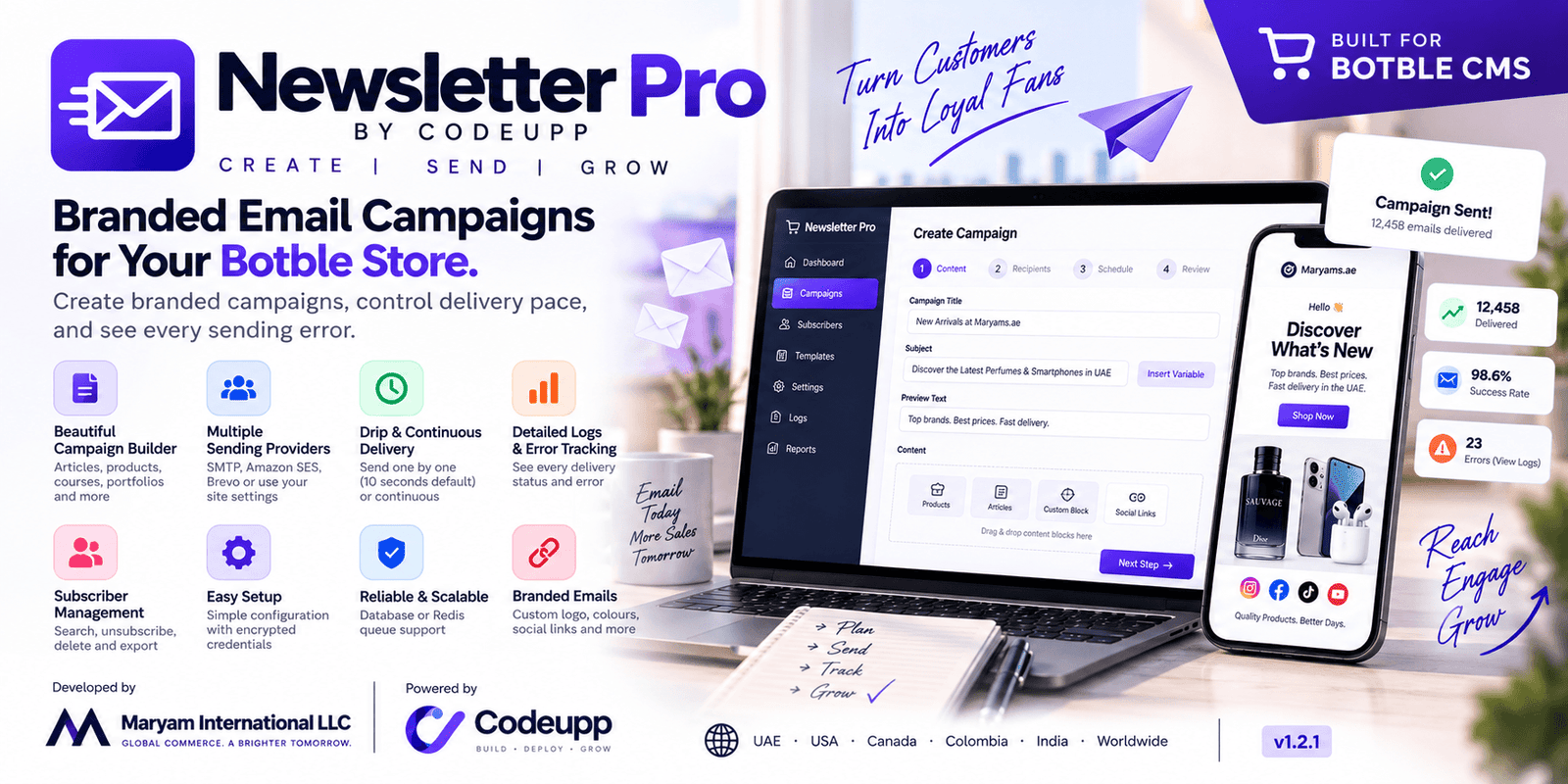
### Create branded campaigns, control delivery pace, and see every sending error.
## 🏢 About
**Newsletter Pro by Codeupp** is developed by **Maryam International LLC**, powered by **Codeupp**, for Botble stores worldwide.
| | |
|---|---|
| 🏢 **Company** | Maryam International LLC |
| 🔧 **By** | Codeupp |
| 🌐 **Website** | https://codeupp.xyz |
| 📧 **Email** | maryaminternationalllc@gmail.com |
| 💬 **WhatsApp** | +971553682656 |
| 🌍 **Serving** | UAE · USA · Canada · Colombia · India · Worldwide |
| **Version** | 1.4.3 |
## Features
- Campaign drafts with subjects, preview text, opening messages and footer notes.
- Audience choices: all registered storefront customers, all active subscribers, or individually selected recipients from both sources.
- Searchable, paginated recipient picker with persistent selection counts, removable selections and deduplication.
- Signed unsubscribe confirmation links also support customers without subscriber records.
- Content picker for articles, products, courses (Acadaria), portfolios, services and custom blocks; section headings and drag ordering.
- Branded email previews, social links and store links.
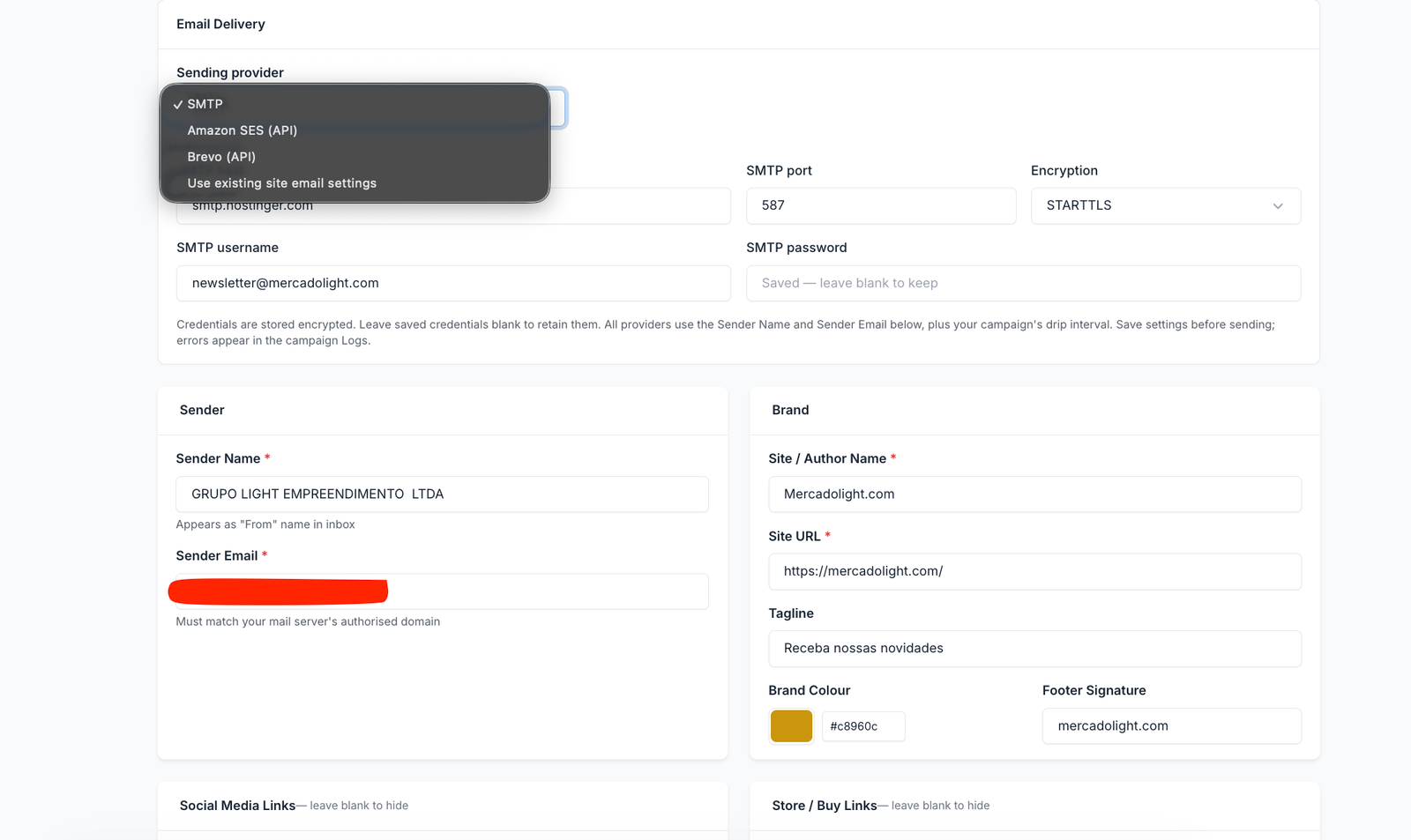
- Choose SMTP, Amazon SES API or Brevo API, with credentials shown only for the selected provider. Existing site email settings remain available.
- SMTP host, port, username, encrypted password and STARTTLS / SSL / no encryption settings.
- Per-campaign **Drip** delivery: one recipient per job, **10 seconds by default**, with a configurable interval from 1 to 86,400 seconds.
-**Continuous** delivery: one recipient per job without an intentional pause.
- Background database or Redis queue; no sleeping inside the admin request.
- Subscriber snapshot, duplicate address removal, and subscription recheck before each delivery.
- Visible per-recipient errors, provider message IDs, campaign errors, correct partial-failure status and delivery progress.
- Clear Preview, Edit, Send, Logs, Resume and Delete actions. Sending campaigns cannot be deleted.
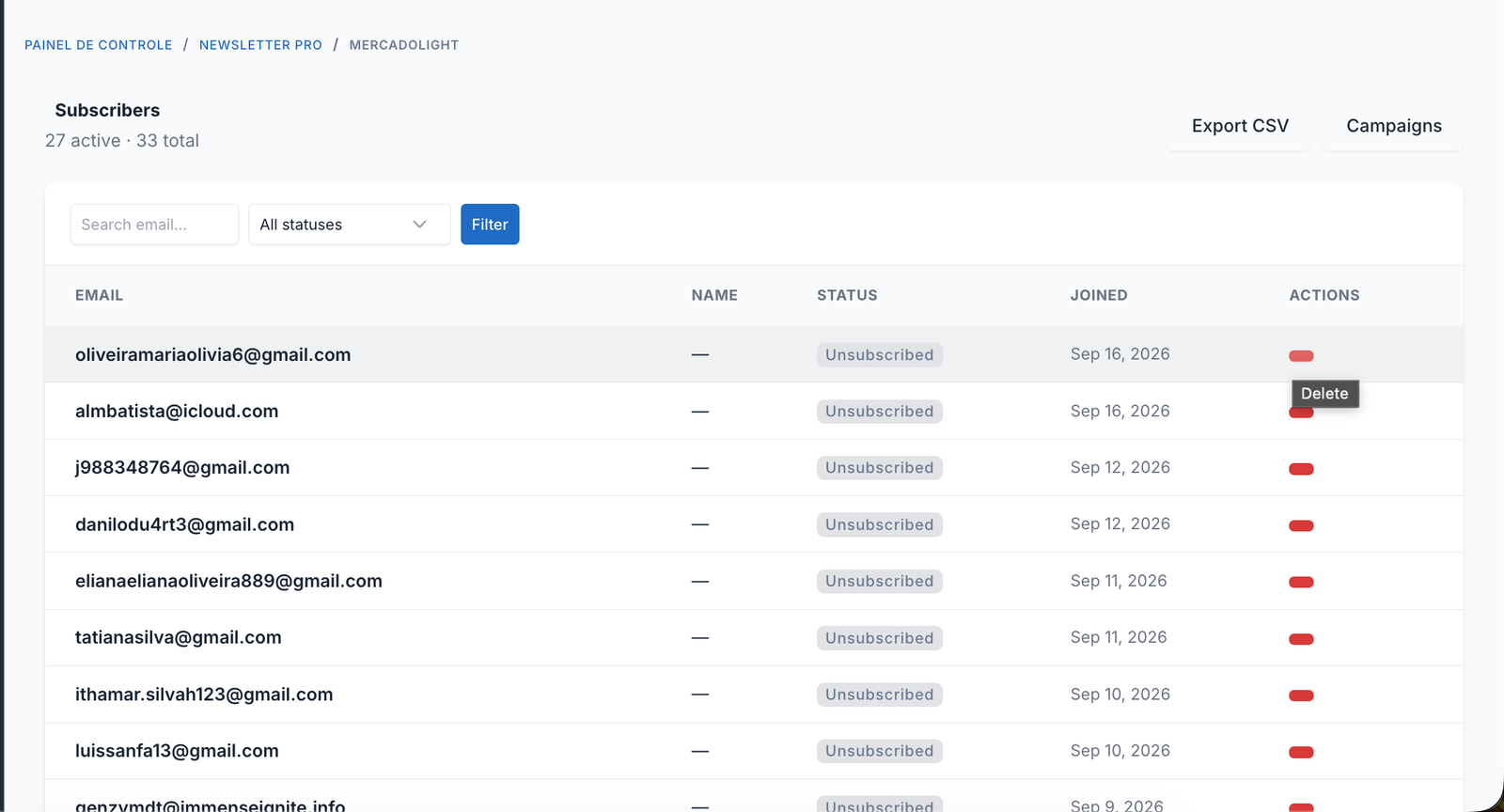
- Subscriber search, unsubscribe, delete and CSV export.
## 🚀 Installation
1. Upload the `newsletter-pro` folder to `platform/plugins/`. Keep its folder name unchanged.
2. Activate Botble's **Newsletter** plugin, then **Newsletter Pro by Codeupp**.
3. For an existing installation, apply the additional migration:
```bash
php artisan migrate --path=platform/plugins/newsletter-pro/database/migrations--force
```
4. Clear application caches:
```bash
php artisan optimize:clear
```
5. Ensure the selected queue backend is available. Database delivery needs Laravel's `jobs` table; Redis needs a working Redis connection. The shared cache must support atomic locks across workers.
See [INSTALL.md](INSTALL.md) for scheduler setup. PHP classes use the Codeupp namespace with legacy compatibility aliases. The plugin ID is now `codeupp/newsletter-pro`, matching Codeupp ownership.
## ⚙️ Settings
Open **Newsletter Pro → Settings**. Enter the sender name and an email address authorised by your provider. Configure your store's name, URL, brand colour, footer and optional links.
Use the **Sending provider** dropdown. Each provider uses the Sender Name and Sender Email configured below it:
| Provider | Credentials / settings |
|---|---|
| SMTP | Host, port, encryption, username and password, like the site's SMTP settings |
| Amazon SES (API) | AWS access key ID, AWS secret access key, region, optional configuration set |
| Brevo (API) | Brevo API key |
| Use existing site email settings | Reuses the site's configured transport |
Only the selected provider's fields are submitted and validated; switching providers preserves saved credentials. Credentials are encrypted using the application key, are never populated back into the form, and are removed from validation redirect input. A blank credential field retains its saved value. Back up the application key; changing it requires re-entering encrypted credentials.
### Amazon SES setup
1. Verify the sender email or domain in the AWS region you select.
2. Use AWS **API / IAM credentials**, with `ses:SendEmail` permission. SES SMTP credentials are different and cannot be used here.
3. Request production access in that region before sending to general subscribers. Sandbox accounts can only send to verified recipients or SES mailbox simulator addresses.
4. Enter the access key ID, secret access key and region in this plugin. Optionally enter an existing SES configuration set.
Delivery uses the installed AWS SDK's signed `SendEmail` API operation with one recipient, UTF-8 subject and rendered HTML. The AWS SDK is declared in the plugin's Composer requirements; this site already includes it. If your deployment strips unused AWS services, retain **Ses** in `extra.aws/aws-sdk-php`.
Official documentation: [SES SendEmail](https://docs.aws.amazon.com/ses/latest/APIReference/API_SendEmail.html), [production access](https://docs.aws.amazon.com/ses/latest/dg/request-production-access.html).
### Brevo setup
1. Create an **API key** in Brevo's SMTP & API settings; an SMTP key cannot be used as an API key.
2. Verify your sender email / domain and ensure email sending is enabled with sufficient credits.
3. Select Brevo and save the API key in the plugin.
Delivery uses `POST https://api.brevo.com/v3/smtp/email`, the `api-key` header, `sender`, one `to` recipient, `subject` and `htmlContent`. The plugin owns the newsletter audience, unsubscribe link and drip pacing; it does not create a Brevo marketing campaign or sync subscribers into Brevo contact lists. Confirm your Brevo account permits your newsletter use.
Official documentation: [Brevo send email API](https://developers.brevo.com/reference/send-transac-email).
All three delivery methods retain campaign drip pacing and recipient error handling. API calls have bounded connection / request timeouts and are not automatically retried, because retrying an ambiguous acceptance can duplicate an email. The returned provider message ID is saved in campaign logs. Missing message IDs are recorded as unknown-acceptance failures. Site log and array transports are rejected because they do not deliver mail.
Choose **database** or **redis** as the queue connection. Legacy sync selections use database, because drip delivery needs a persistent background queue. The former millisecond throttle setting is superseded by campaign drip seconds.
## 📬 Create and send campaigns
1. Select **New Campaign**, add the subject and content blocks, then choose **Send to**:
-**All registered users**: eligible storefront accounts from `ec_customers`; admin staff accounts are excluded. Locked customers and addresses with an explicit newsletter opt-out are excluded.
-**All active subscribers**: active addresses from Botble's Newsletter plugin (the default for existing campaigns).
-**Select recipients individually**: a combined list of customers and subscribers. Search by name/email, check addresses individually, move through pages, and review the selected count. Selections survive searches and page changes. Remove addresses individually or use **Clear selection**.
2. Registration does not itself establish newsletter consent. Use registered-user audiences for customers who agreed to receive marketing.
3. For **Drip**, enter seconds (default **10**) between attempts, or choose continuous sending. Worker load may lengthen the interval.
4. Save the draft and preview it. Audience choices and selected emails are saved with the campaign and can be edited while it is a draft.
5. Click **Send** and confirm. The plugin freezes the eligible recipient list at this point, removes duplicates and invalid addresses, and queues delivery. New recipients belong to the next campaign.
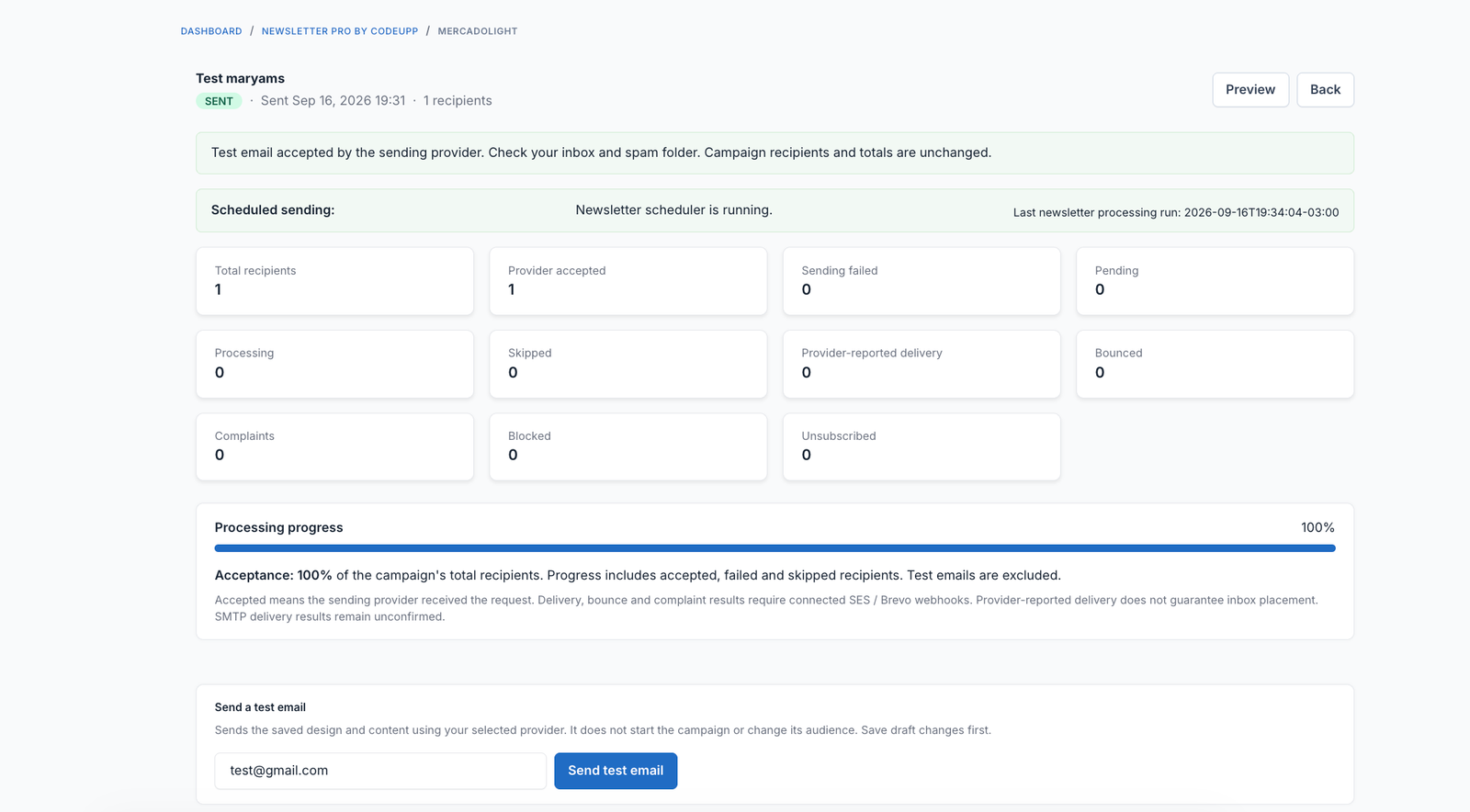
6. Open **Logs** to see acceptance, message IDs, failures and timestamps. Subscription/account eligibility is checked again before each attempt; newly opted-out recipients are skipped.
The recipient picker only accepts stored eligible addresses; arbitrary email injection is rejected. Email addresses must fit Botble Newsletter's 120-character email column so opt-out storage remains reliable.
Newsletter links open a **signed confirmation page**. Clicking **Confirm unsubscribe** updates the existing newsletter record or creates an opted-out record for a registered customer. The address is then excluded from every campaign audience. A link preview or security scanner's GET request does not unsubscribe the recipient.
**Sent** means the mail transport accepted the message. It does not prove inbox delivery. SMTP rate limits, invalid addresses, authentication errors and spam filtering can still cause failure. A campaign with any failed recipient ends with **Failed**, while accepted messages remain counted.
If a job or queue dispatch fails with recipients remaining, **Resume** continues only recipients not yet attempted. Failed recipients are not automatically retried. If a worker was interrupted during delivery, that recipient is recorded as an unknown-delivery failure instead of being resent blindly; check the provider's logs. Resume does not add new subscribers. If there are no remaining recipients, review the errors and create a new campaign when appropriate.
## 🧾 Error reporting
- Campaign **Logs** show each attempted recipient and readable error details.
- The campaign detail page shows the latest delivery or queue error.
- Application logs contain campaign ID, recipient and a sanitised error. SMTP and provider API credential values are redacted. Laravel's configured logging channel determines the file location, commonly `storage/logs/laravel.log`.
- Queue timeouts and unexpected job failures mark the campaign failed.
- The log header no longer incorrectly exports the entire subscriber list as campaign logs.
## Enhancements to consider next
- Provider webhook integration for delivered, bounced and complaint statuses; suppress bounced addresses.
- A test-email action and SMTP connection diagnostics before campaign launch.
- Named audience segments, campaign scheduling, pause/cancel controls, and provider-wide rate limits.
- Explicit reviewed retries for failed recipients and delivery-log CSV export.
- Double opt-in and retention controls.
- Admin permissions and an audit trail for campaign creation, SMTP changes and sending.
## Verification
Run the isolated integration checks from the site root:
```bash
phpplatform/plugins/newsletter-pro/tests/delivery.php
```
These use an in-memory SQLite database and a simulated mailer; they never send real emails. They cover pacing, unsubscribe checks, partial failures, resume guards, encrypted settings, SMTP construction, selected-provider validation, AWS signed commands, Brevo HTTP payloads, API acceptance/errors, audience selection, customer opt-outs and Blade compilation. Actual provider delivery and the live admin appearance still need verification on your deployment.
## Changelog
See [CHANGELOG.md](CHANGELOG.md) for release history.
## 🤝 Support
**Codeupp — Maryam International LLC** · https://codeupp.xyz
Email: **maryaminternationalllc@gmail.com** · WhatsApp: **+971553682656**
## Branded email designs
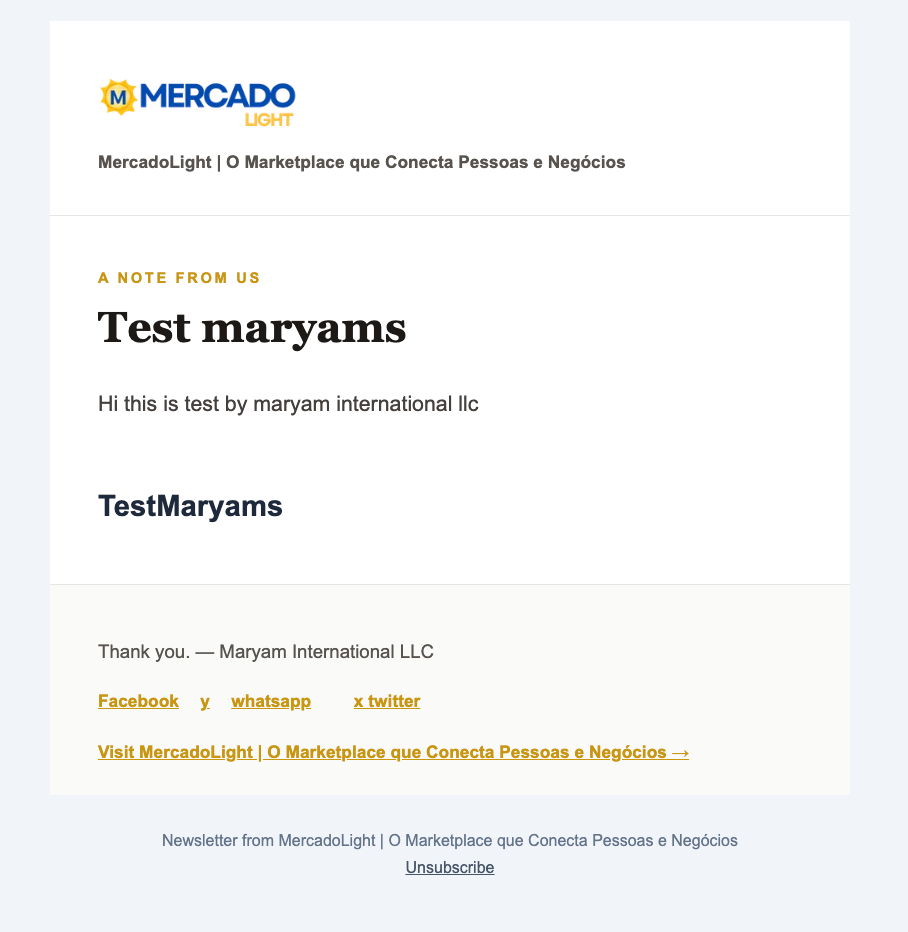
Choose Minimal, Editorial or Showcase when creating a campaign. Enter body text, or select HTML for formatted content. Products and other content blocks are optional. The templates use the active theme logo, site title, brand color and social links; plugin branding settings supply fallbacks. Product blocks load current published product details and store prices when previewing and sending. Removed or unpublished products are omitted.
For full layout changes, enable **Edit full template HTML**, click **Load selected design HTML**, then edit the source. Keep `[[body]]` and `[[products]]` where their content should appear. Branding tokens are listed beside the editor. Unsafe scripts and attributes are removed. An unsubscribe link is always appended. Existing campaigns retain their original layout until you select a new design. Preview before sending; rendering can vary between email clients.
PHP classes use `Codeupp\NewsletterPro`. Compatibility aliases preserve old serialized queue jobs. After uploading an update, run `composer dump-autoload`, clear application caches. Scheduled batches load the updated code automatically.
## Automatic scheduled sending (v1.4.3)
The plugin registers `newsletter-pro:process-queue` with the website scheduler every minute. Reuse the existing cron that runs `php artisan schedule:run` every minute; no additional cron entry, continuous worker or restart button is needed. The plugin must be active. Database / Redis queue configuration, queue tables and persistent cache must already be available.
Each background batch stops when no eligible jobs remain, after 25 jobs, or after a 20-second processing budget (the current job may finish beyond that budget). Jobs have a 60-second timeout, and the configured queue retry interval must exceed it. Scheduler overlap protection prevents simultaneous scheduled batches; per-campaign locks also guard recipients. This uses cron processes, so hosting must permit PHP background commands.
Drip seconds are a minimum delay. Delayed jobs may wait until the next minute's cron tick. Keep a continuous newsletter worker only if more consistent sub-minute pacing is required. SMTP/API failures remain visible in campaign logs; scheduler and queue setup errors are written to application logs.
Have doubt? Contact us on WhatsApp
Our product is high quality. Contact us for any kind of custom work.